
AI cleaning planner for Android
A clean home
in 15 minutes
a day.
CleanPilot is a cleaning schedule app that tracks how dirty every room gets and tells you what to do today in 5, 15 or 30 minutes - one task at a time.
Free to start. One e-mail when CleanPilot is on Google Play, nothing else.
This phone is interactive.
Tap the tabs, open a room, start a focus session.
How it works
How does CleanPilot plan your cleaning?
- 1
Describe your home in a minute
Rooms, people, pets, allergies and how much time you have on weekdays. No sign-up needed to start.
- 2
Get a plan for every room
Each task has its own rhythm: the kitchen sink daily, bed linen weekly, the fridge monthly. CleanPilot remembers when each one was last done.
- 3
Do one task at a time
Pick 5, 15, 30 or 60 minutes. The app fills that time with the most overdue tasks and runs a timer with a short tip for each.
Overall state
!Needs attention: Kitchen
- Kitchen6 tasks
- Bathroom4 tasks
- Bedroom4 tasks
- Living room5 tasks
Room by room
Which room needs cleaning first?
Every room gets a dirt meter that fills up day by day, based on the rhythm of its tasks. CleanPilot flags the one that needs attention and sums up the whole home in one number.
- Add your own rooms and tasks, or change any rhythm
- Rebuild the plan in one tap after a move or a new pet
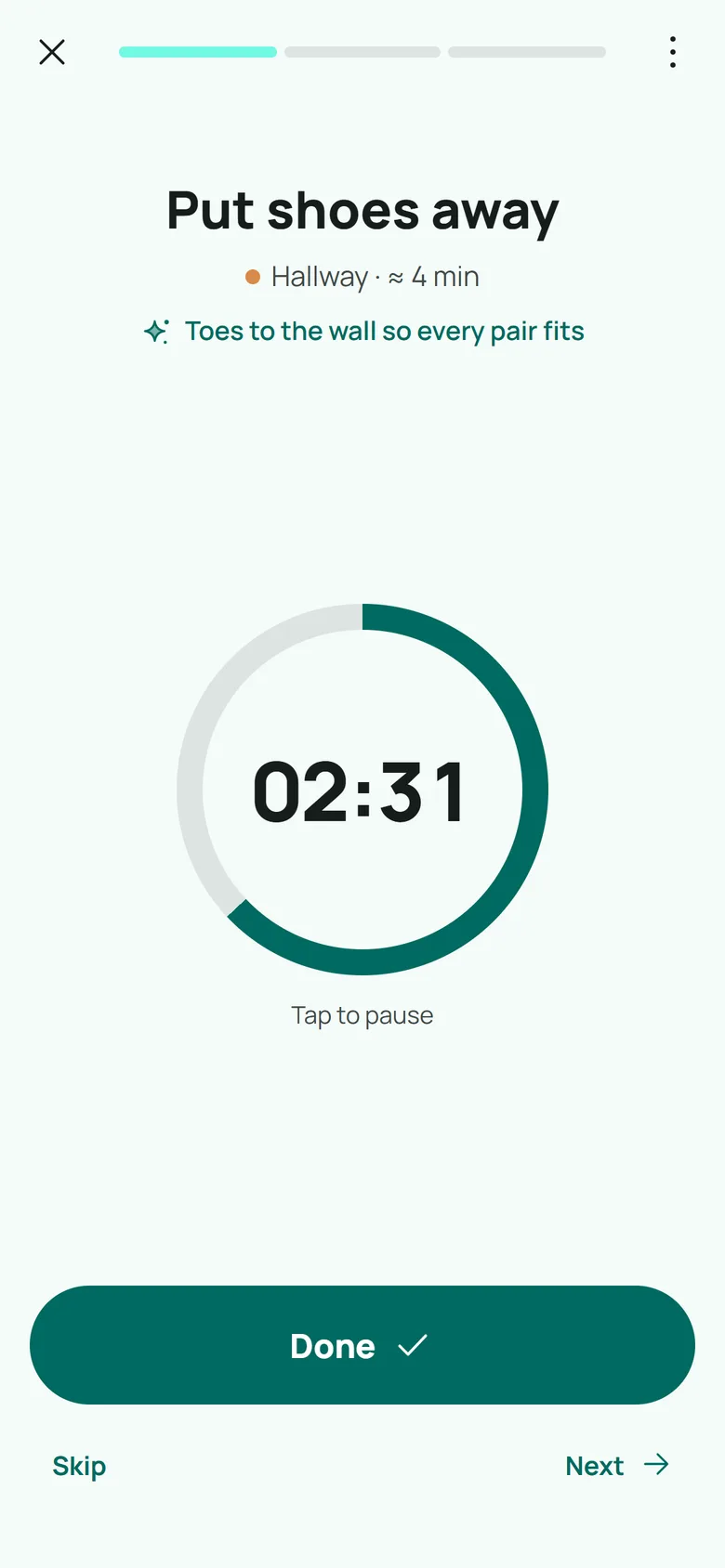
Focus mode
One task, one timer, no list to manage
Tap Start and CleanPilot walks you through today’s tasks one by one, with a timer and a one-line tip. Done, skip or next - that is all.
- “I have 15 minutes” fills exactly that much time
- Skip a task for today or move it to tomorrow
- The screen stays on while you clean
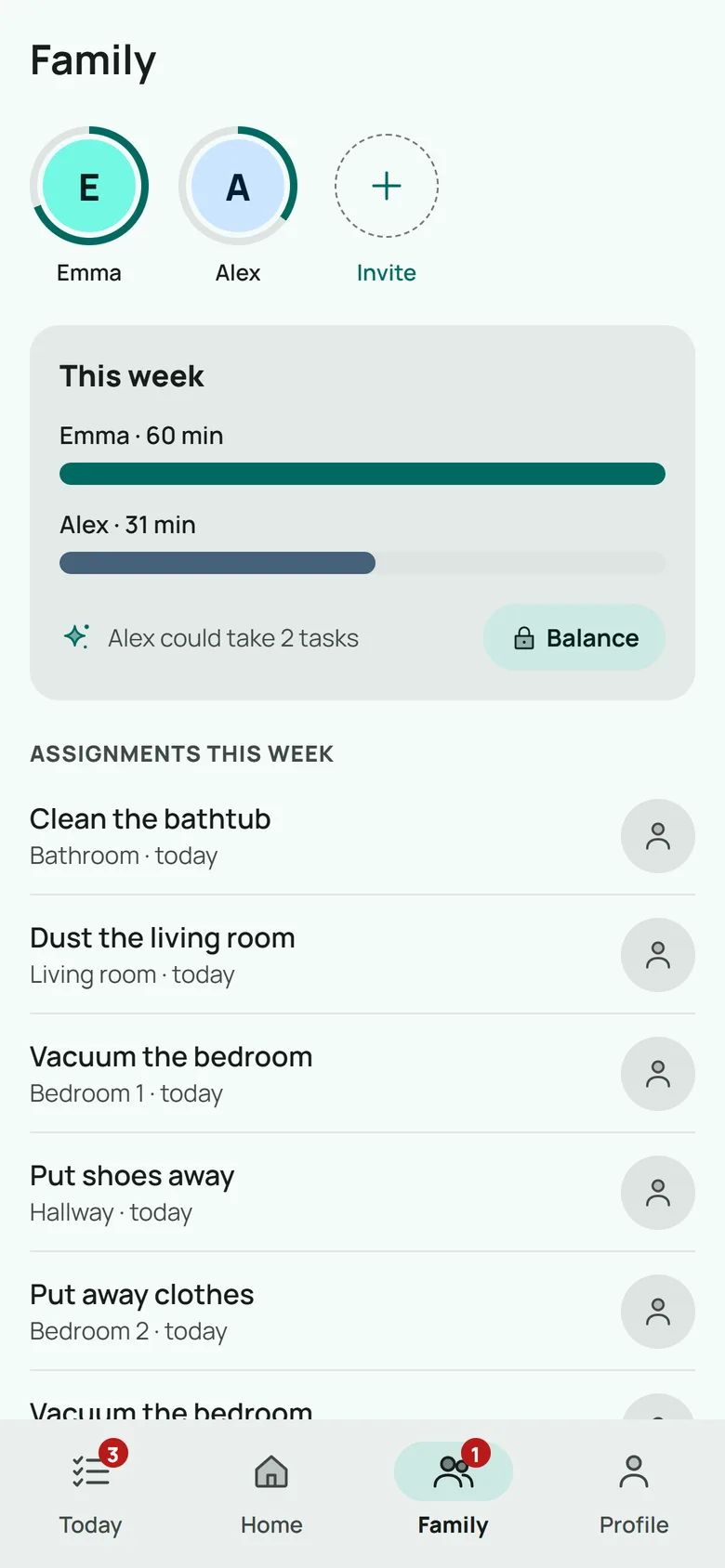
Shared home
Share chores without arguing about them
Invite a partner or roommate with a link or a QR code. You share one plan, see how many minutes each person cleaned this week, and assign tasks to whoever has time.
- Everyone keeps their own streak and stats
- Family plan for up to 6 people
Inside the app
Everything for a clean home, in one place
Room scan
A photo of a room becomes a Tidiness Score and quick tasks.
A tip for every task
Short, practical advice for the exact task in front of you.
Fits your household
Pets, kids and allergies change how often tasks come up.
Works offline
The plan lives on your phone and syncs when you are back online.
Private photos
Scan photos are analyzed and not stored on our server.
Streaks and stats
A day streak, an 8-week chart and achievements. A skipped day does not break the plan.
Cleaning rhythms
How often does CleanPilot schedule common chores?
Starting rhythms from CleanPilot’s task library. Your plan adapts them to your home, and you can change any task.
| Task | Default | With pets | With allergies |
|---|---|---|---|
| Wash the kitchen sink | Daily | Daily | Daily |
| Wipe the kitchen counters | Every 2 days | Every 2 days | Every 2 days |
| Wipe the stove | Every 3 days | Every 3 days | Every 3 days |
| Clean the toilet | Every 3 days | Every 3 days | Every 3 days |
| Vacuum the living room | Every 3 days | Every 2 days | Every 2 days |
| Mop the kitchen floor | Weekly | Every 4 days | Every 4 days |
| Dust the living room | Weekly | Weekly | Every 4 days |
| Clean the bathtub | Weekly | Weekly | Weekly |
| Change the bed linen | Weekly | Weekly | Weekly |
| Sort out the fridge | Monthly | Monthly | Monthly |
Pets make floor tasks about 40% more frequent, allergies do the same for floors and dusting, kids add 25% to floor and tidy-up tasks, and a household of four or more adds 25% to wet cleaning.
Closed test on Google Play
Help us test CleanPilot before launch
Before CleanPilot goes public on Google Play, it runs a closed test: at least 12 testers using the app for 14 days. If you clean at home and have an Android phone, you can be one of them.
- 1Leave your Google Play e-mailGoogle Play adds testers by the e-mail of the account on the phone.
- 2Install from Google PlayWe send you a link; the app installs as usual.
- 3Use it for two weeksTell us what was confusing or missing.
We use your e-mail only for CleanPilot launch and testing news. See the privacy policy.
Pricing
Free to start. Pro when you want more.
Free
$0
forever
- Cleaning plan for the whole home
- 15-minute sessions and focus mode
- 3 room scans a month
- Shared home for two
- Streaks, stats and achievements
Pro
$29.99
a year after a 14-day free trial
- Sessions of 5, 30, 60 minutes or your own length
- Up to 100 room scans a month
- AI tips for every task
- AI rebuilds your plan up to 30 times a month
Planned prices; they may change before launch. Payments go through Google Play. Family covers up to 6 people with everything from Pro.
From Clean Home Guide
Cleaning guides behind the app
CleanPilot is made by Clean Home Guide, which has published cleaning tips and product reviews since 2018.
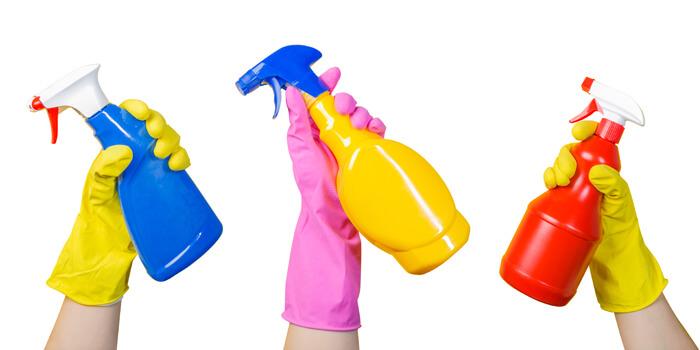 What is an Enzymatic Cleaner?
 How To Remove The Smoke Smell From Your House
 How To Clean Mold Off Walls
 How To Clean Vinyl Siding Without Scrubbing
 How To Remove Paint From A Laminate Floor
 How To Remove Tea Stains From Carpet
 Best Way To Clean And Condition Leather Car Seats
 How To Remove Rust Stains From Carpets
 Best Way To Get Rid Of Bed Bugs Forever
 Best Way To Clean Car Carpet
Questions
Questions about CleanPilot
When will CleanPilot be available?
CleanPilot is getting ready for a closed test on Google Play, followed by the public launch. Leave your e-mail and we will write once, when it is available. Tick the beta box if you want to install it earlier as one of the testers.
Does CleanPilot work on iPhone?
Not yet. CleanPilot launches on Android first. If you use an iPhone, you can still join the list: it tells us how many people are waiting for an iOS version, and we will write to you if one comes out.
What happens to photos of my rooms?
A scan photo is downscaled on your phone and sent over an encrypted connection to our server and on to Anthropic’s Claude for analysis. We do not keep the photo on our server. It stays on your phone only if you turn on before-and-after photos.
Do I need to create an account?
No sign-up is needed to start. CleanPilot creates an anonymous account on first launch and keeps your plan on the phone, so it works offline too. To share a home with a partner or roommate, you send them an invite link or QR code.
Is the demo on this page the real app?
Yes, it is the same CleanPilot app running in your browser with a made-up home. Nothing you tap is sent anywhere or saved, and the demo starts over when you reload the page or press Reset.
Cleaning without the weekend marathon.
Fifteen minutes a day, one task at a time. Be the first to try CleanPilot.
Get early access